cts empowers Inmation WebStudio with Data Intelligence

Simplify Inmation WebStudio Compilations.

Your process data is already there – Inmation WebStudio delivers everything you need. What we add is the enterprise layer that makes the Inmation WebStudio easy to use – structured, role-aware, and corporate ready from day one. cts Application Framework is built from a data engineering background.

Trending
Events
Compilations
Your Apps
cts Application Framework
Custom WebStudio Applications
Inmation WebStudio

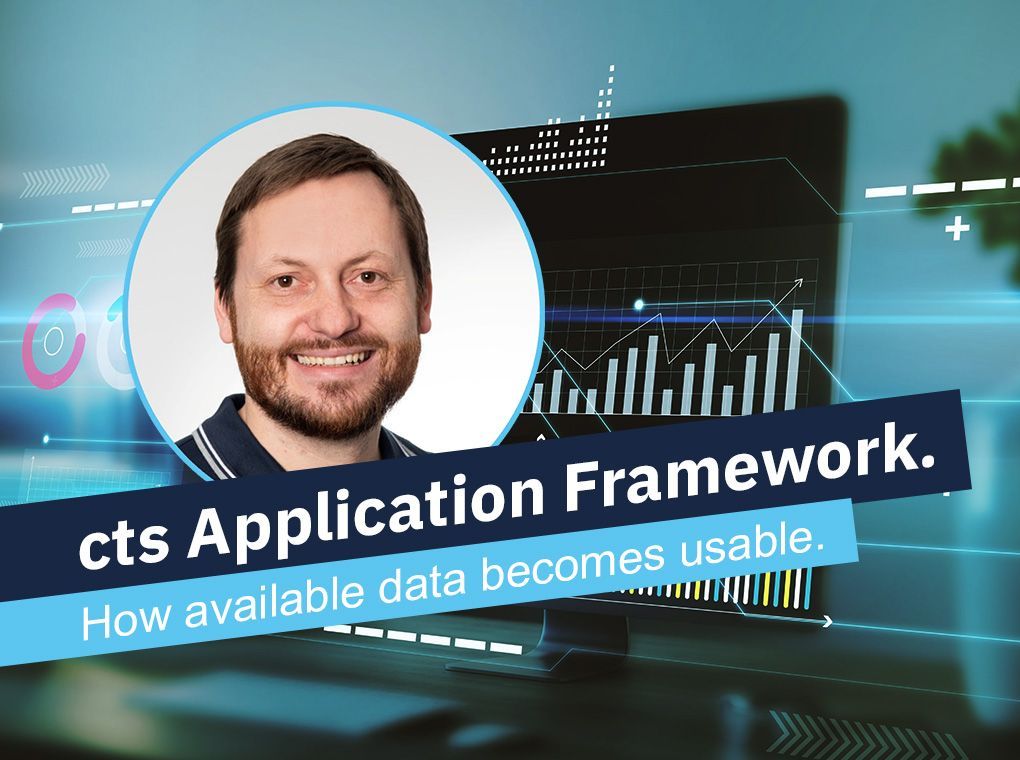
Making data available is one thing. Making it usable is another. That’s why we built the cts Application Framework.

Smiling man in circular frame beside digital charts with text “cts Application Framework” and “How available data becomes usable.”
By Florian Seidl • October 16, 2026
Available data is not usable data. Why the application layer decides whether a data project pays off – and who is allowed to build a view.
Portrait in a circular frame over a blue code background with text: “Integrating Inmation. Why flowing data is not enough.”
By Clemens Schadner • October 16, 2026
The data flows, the project is signed off – and production still uses Excel. Why this gap appears systematically, and where the project boundary sits.
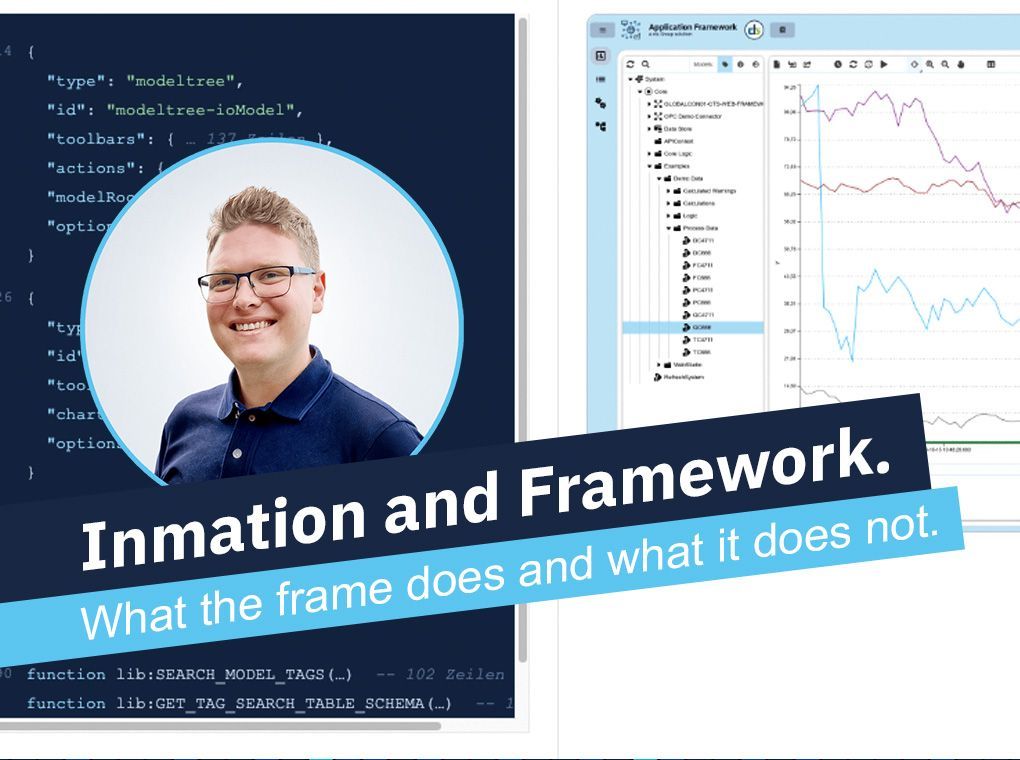
Presentation slide with portrait, code, charts, and title “Information and Framework” on blue banner
By David Denk • October 16, 2026
What can the framework do that Inmation cannot? Why the question matters – and which question actually decides it in operations.

So differenzieren wir uns im Wettbewerb.

Das Smart Warehouse / SMT Reels ist kein adaptiertes Standardsystem, sondern eine spezialisierte Lösung, die konsequent für die komplexen Anforderungen der SMT-Hochgeschwindigkeitsfertigung entwickelt wurde.


Im direkten Vergleich zu konventionellen Lagerschränken, starren FIFO-Puffern oder Regalsystemen, kombiniert es als einzige Lösung: Vertikale Hochverdichtung, automatisiertes Präzisions-Handling, lückenlose Traceability auf Rollenebene und die tiefe Middleware-Anbindung in einem durchgängigen Materialfluss.


Wir setzen konsequent auf Systemoffenheit: Unsere modularen Lagerzellen vermeiden geschlossene Plattformen - unser WMS ist direkt an ERP/MES-Systeme anbindbar. Das System stellt nicht nur Bauteile bereit – es macht den gesamten Rüst- und Bereitstellungsprozess digital steuerbar und auditfähig.


Dadurch entsteht kein isoliertes Insellager, sondern eine aktive, steuerbare Komponente in Ihrem Fertigungsprozess – vom Auftragsstart bis zur fehlerfreien Rolle an der Linie.

The most common problem

Your Data is Good. The Interface is most likely not.

You check your smartwatch and see your heart rate, steps, and sleep quality – clean, clear, instantly readable. Then you open a WebStudio compilation at work – the data is the same quality, the experience and ease is not. The gap is what we close.

Every projects starts from scratch
No shared design, no conventions, no reusable components. Every developer reinvents the wheel. The result: inconsistent modules nobody wants to maintain – and onboarding that takes weeks instead of days.
Access control as an afterthought
Who can see which module? Without a defined structure, access control becomes a patchwork. That's not just inefficient – it's a compliance and security risk your team shouldn't be carrying.
Interfaces that don't convince
A generic dashboard doesn't convince your organization. When an interface doesn't look trustworthy, people doubt the data behind it. That's a problem no amount of good engineering can fix from the backend alone.
Before / After

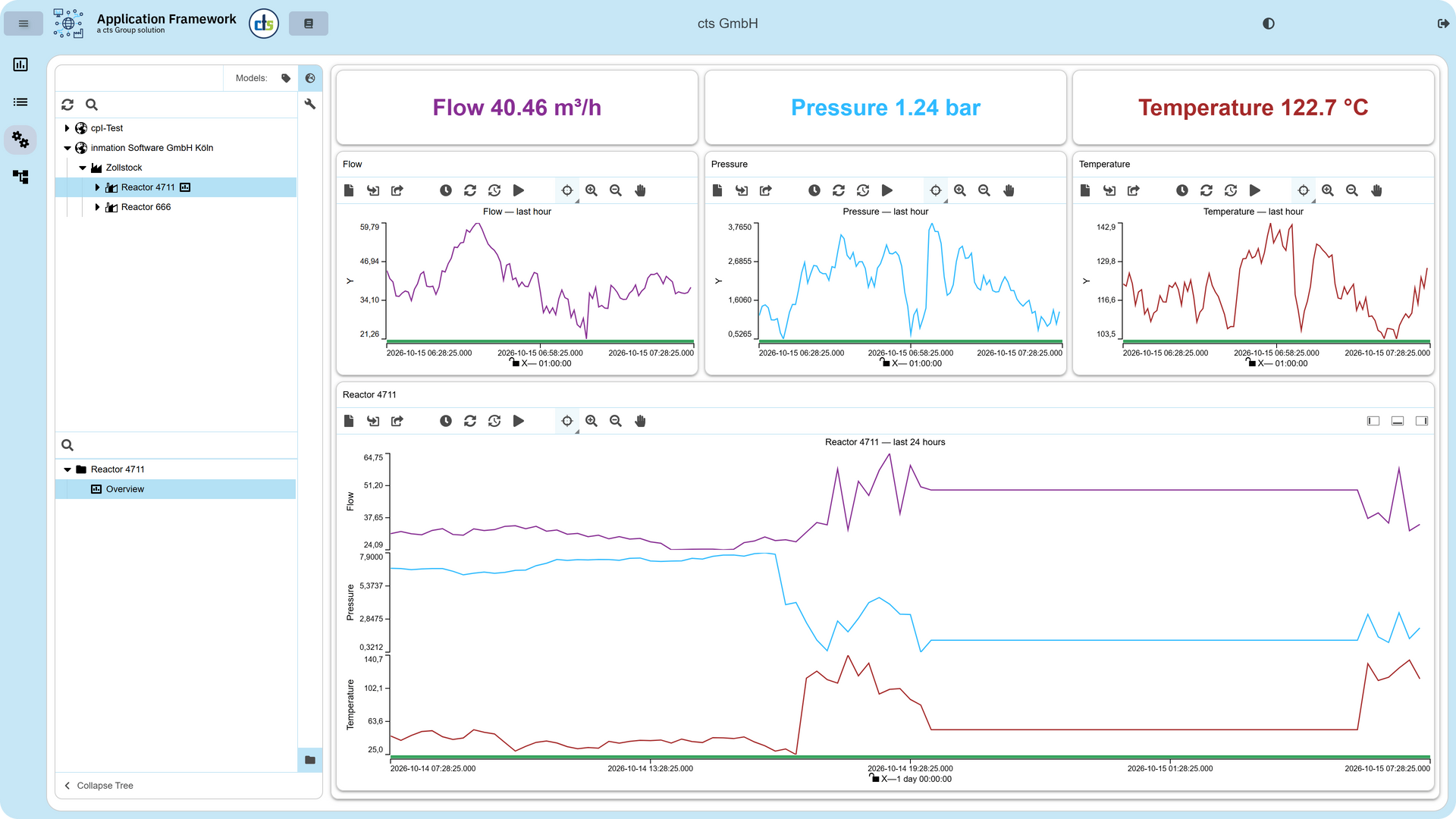
This is what WebStudio compilations look like with the right framework.

Drag the slider. One side is what your team builds from scratch. The other is where they start with the framework.

Inmation WebStudio cts Application Framework
Standard WebStudio Anlagen-Dashboard
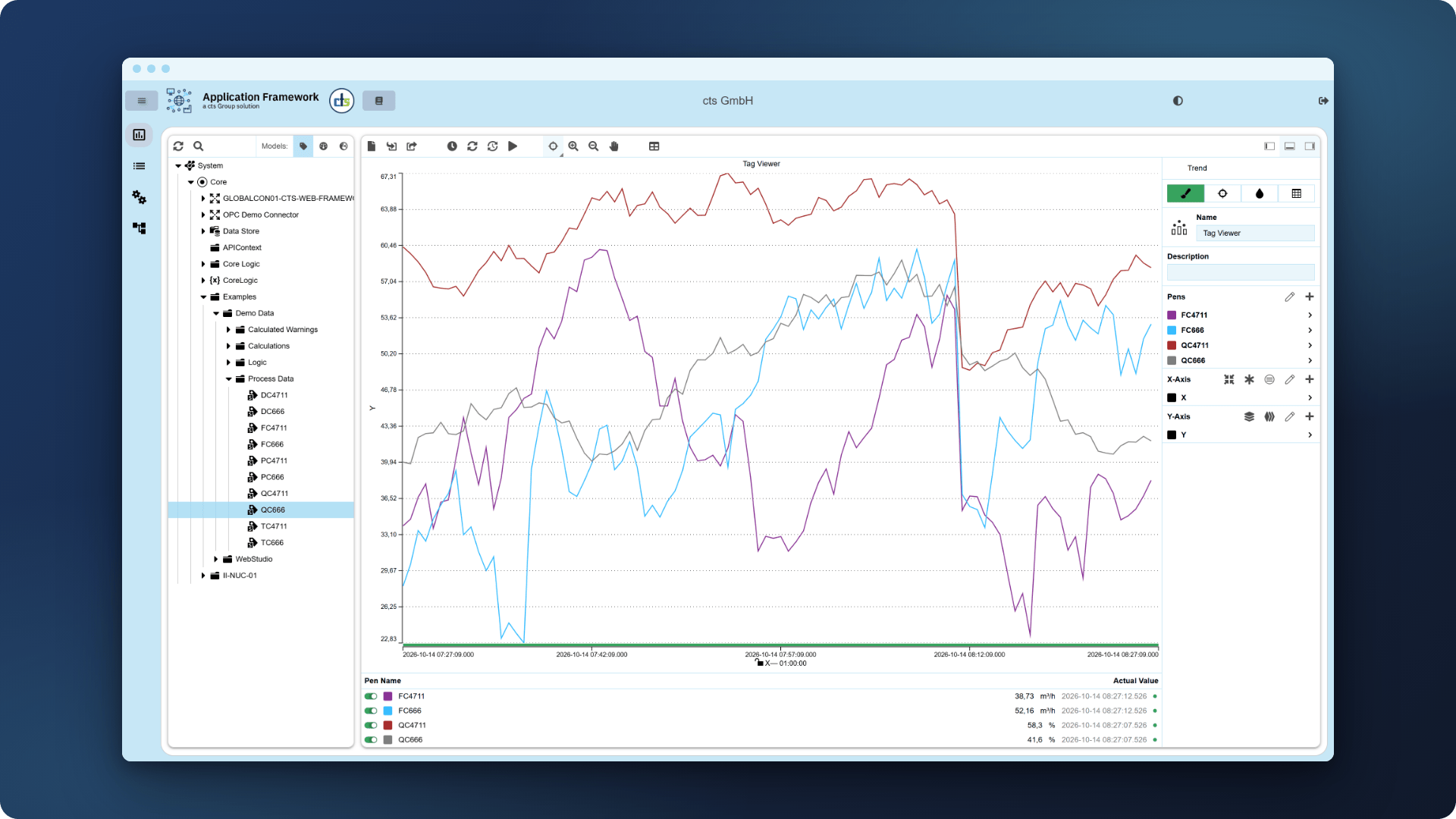
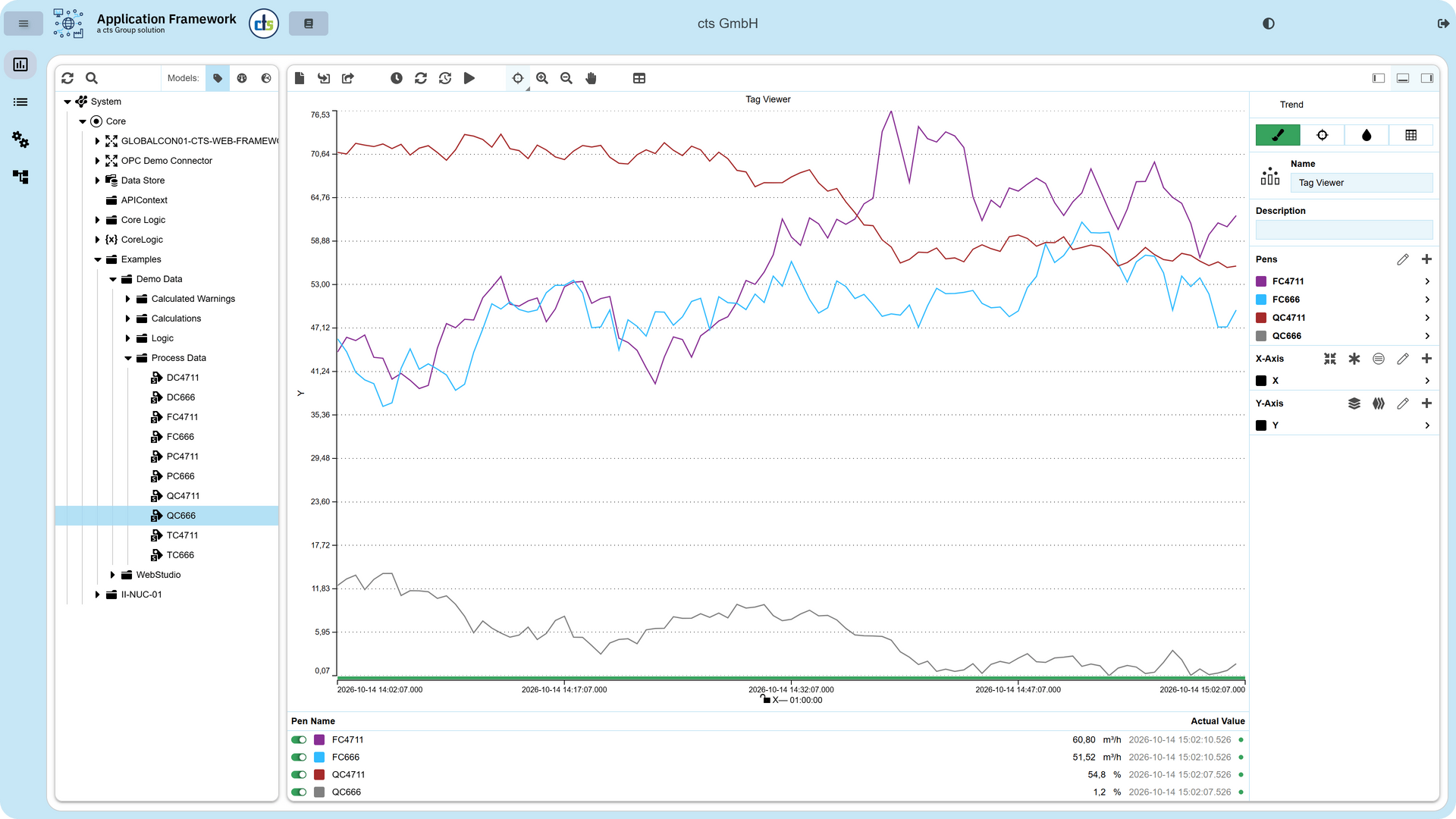
cts Application Framework Trends
Standard WebStudio Trends
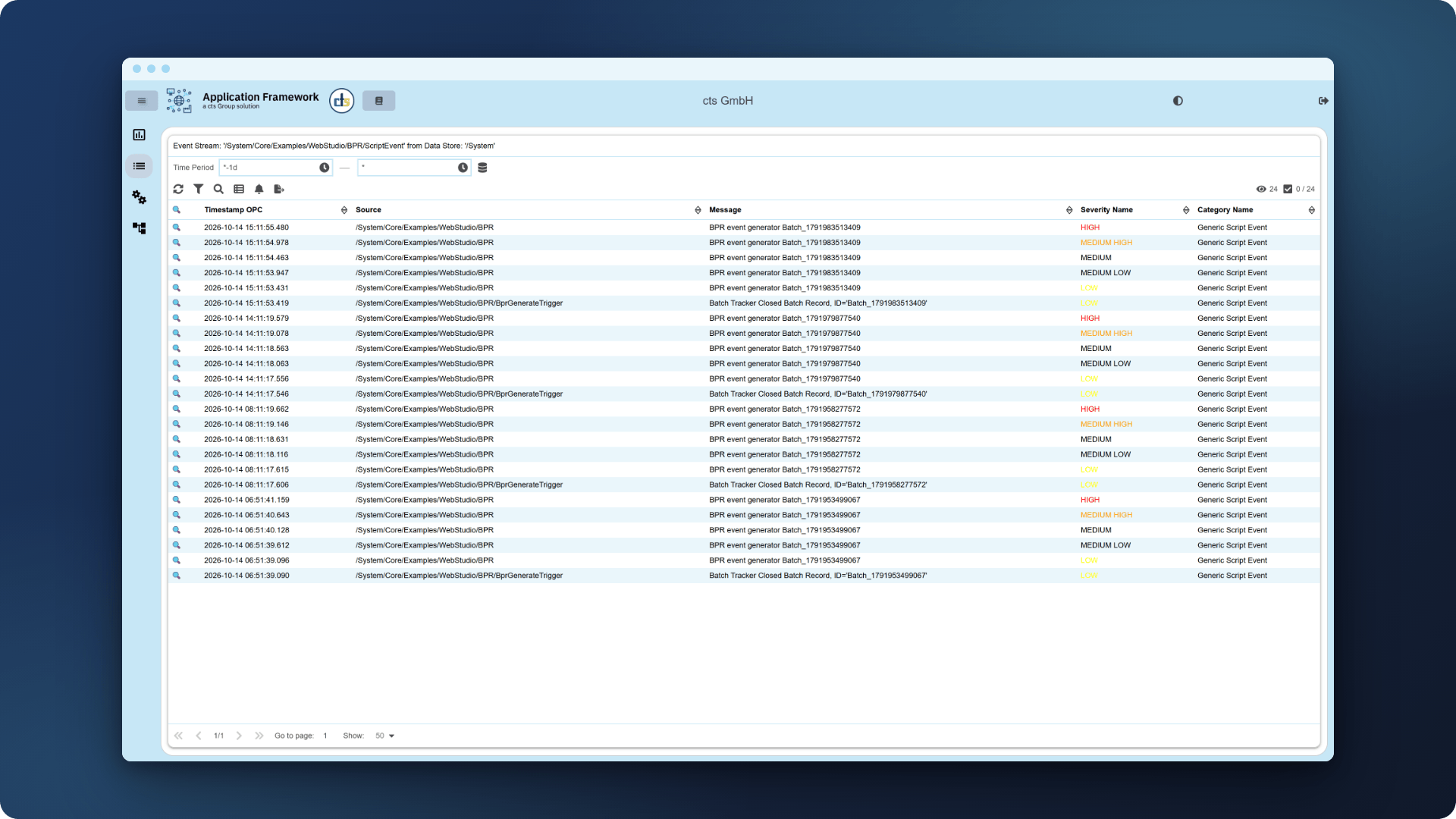
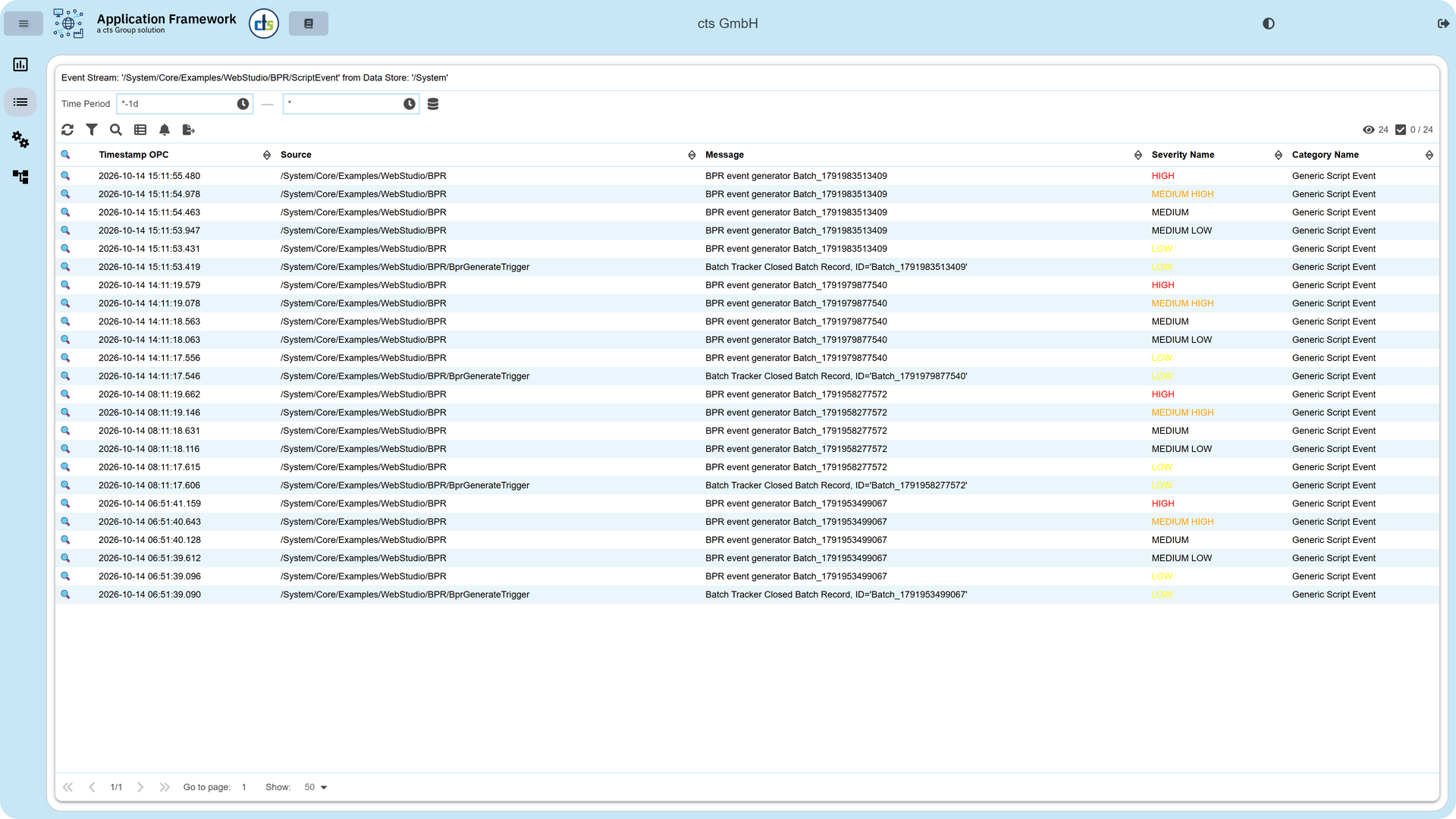
cts Application Framework EventViewer
Standard WebStudio EventViewer
cts Application Framework Datenanalyse
Standard WebStudio Datenanalyse
Does this sound familiar?

Check what applies to your setup.

Select the challenges you're dealing with right now. For each one, we'll show you exactly what the framework changes.

Select the challenges that apply to you. We'll show you how the framework changes things for each one.
What's included

The foundation your team shouldn't have to build themselves.

Six decisions already made in the framework. Your team doesn’t have to make them, or repeat them in every project.

1

Multiple ready-to-use modules

Trend visualization across multiple models, alarm and event queries from the event datastore, and advanced tag search – included from day one. Fully functional examples that show exactly how your own modules should be built.

2

Automatic module discovery

New modules are detected automatically and integrated into navigation — no manual routing, no changes to the framework. The application grows with your requirements, not against them.

3

The manual follows the module

User manuals are detected and linked to the module they belong to. Documentation is always where the user needs it — no separate system, no broken links, no manual assignment.

4

Module-level access control

Each module can be individually restricted by user role – built into the structure from the start. Role-based, granular, and auditable from day one.

5

Corporate Design System

Dark & Light theme, consistent components, defined spacing and typography. What was a generic technical interface becomes an application that suits your Corporate Design – and earns the trust of everyone looking at it.

6

Component guide & style system

Pre-built UI elements you can copy and use immediately. New widgets are built in the right style by default — without reinventing the wheel every time a new developer joins the project.

Modules

Every module, the same framework

Events: Messages for the user, the template for every table module.

Zeitreihendiagramm mit zwei Kurven im Trends-Modul

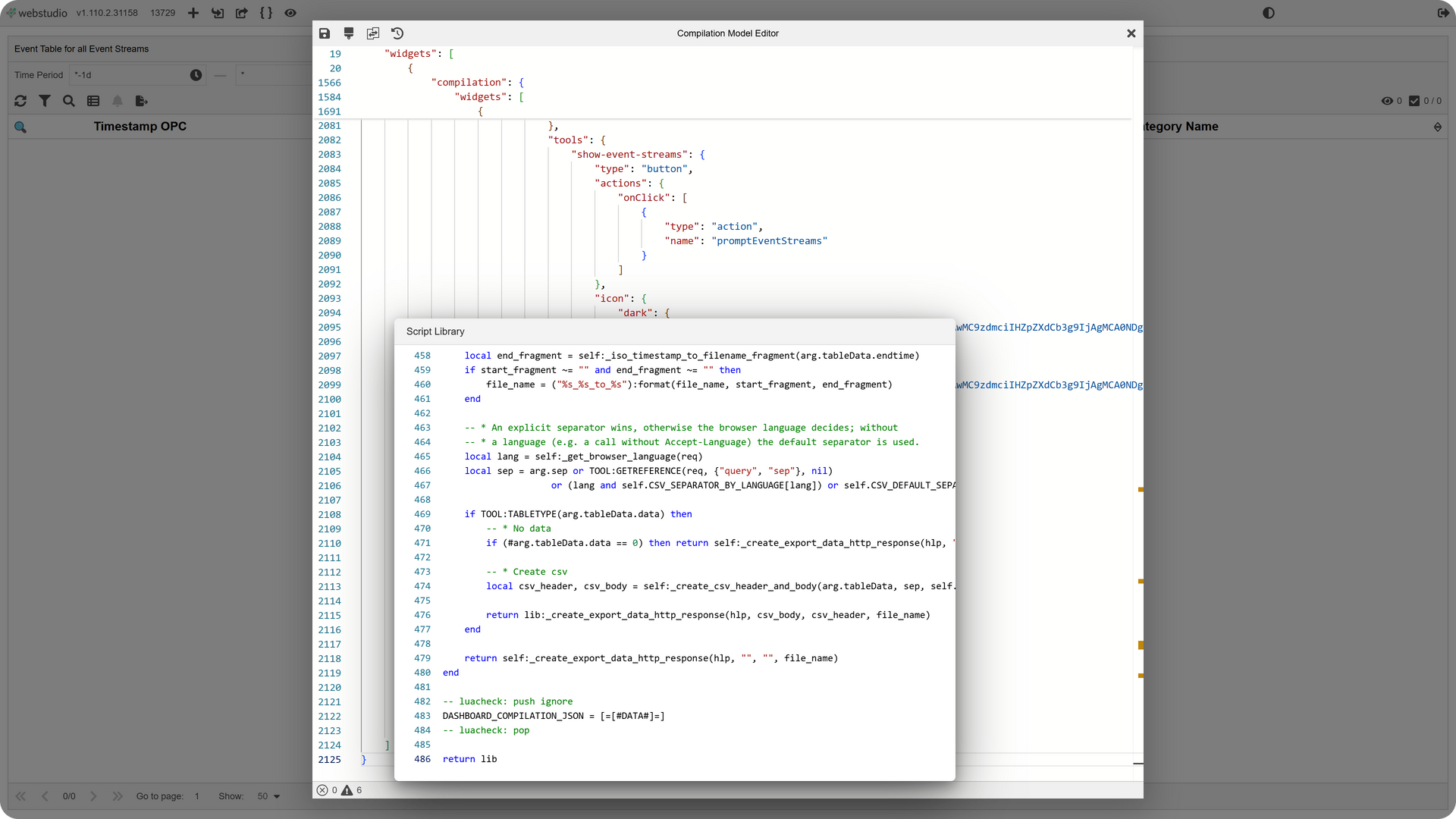
Reads events from an EventStore: pick the store, the entries appear – there is nothing else to set. Underneath sits the structure every table-based module in the framework is built on.

  • EventStore selectable from a list
  • Events shown in a table with timestamp and details
  • Filtering and sorting directly in the interface
  • Openly readable implementation as a template for your own table modules
  • Ready to use without development of your own – you pick the EventStore

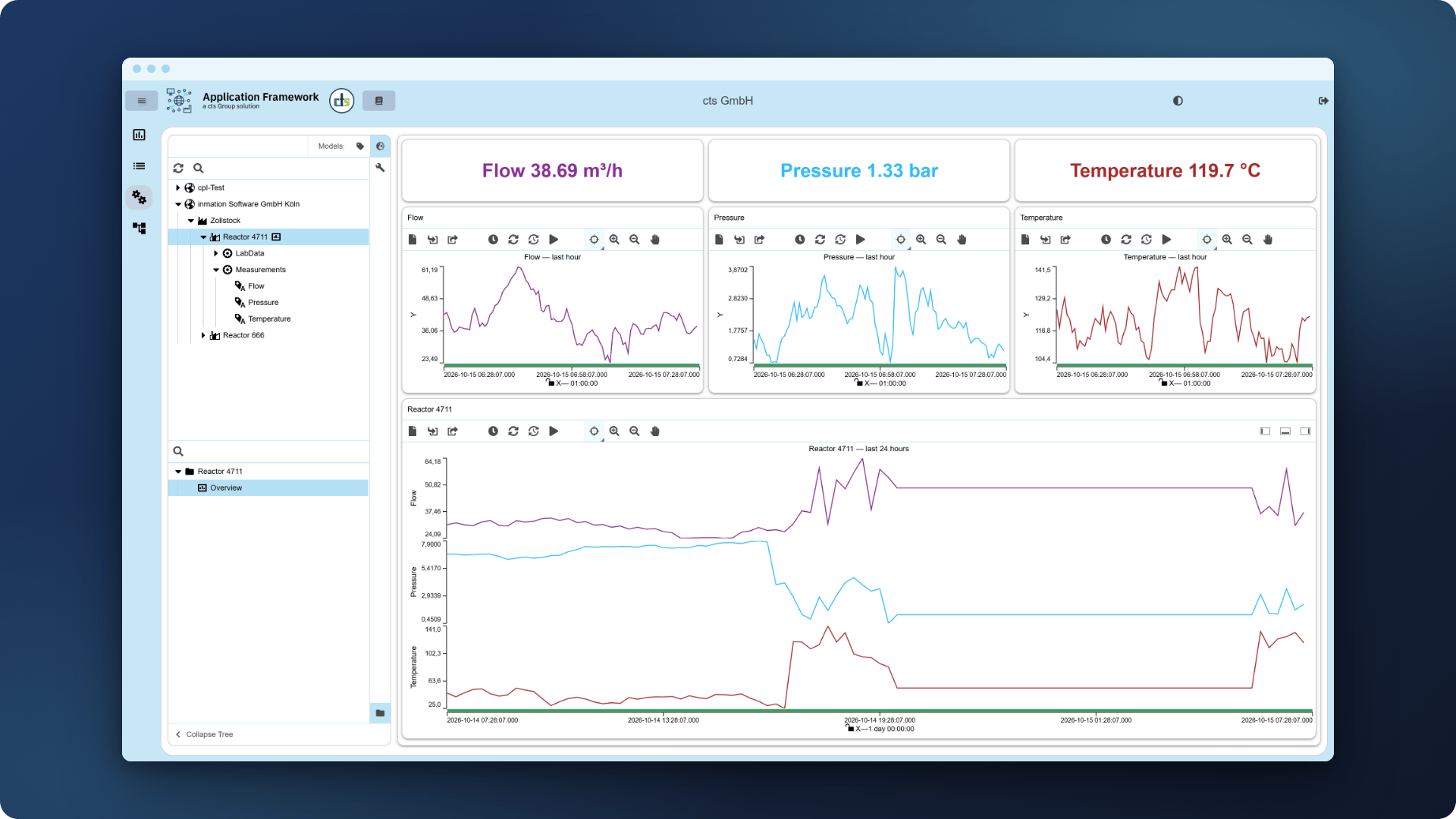
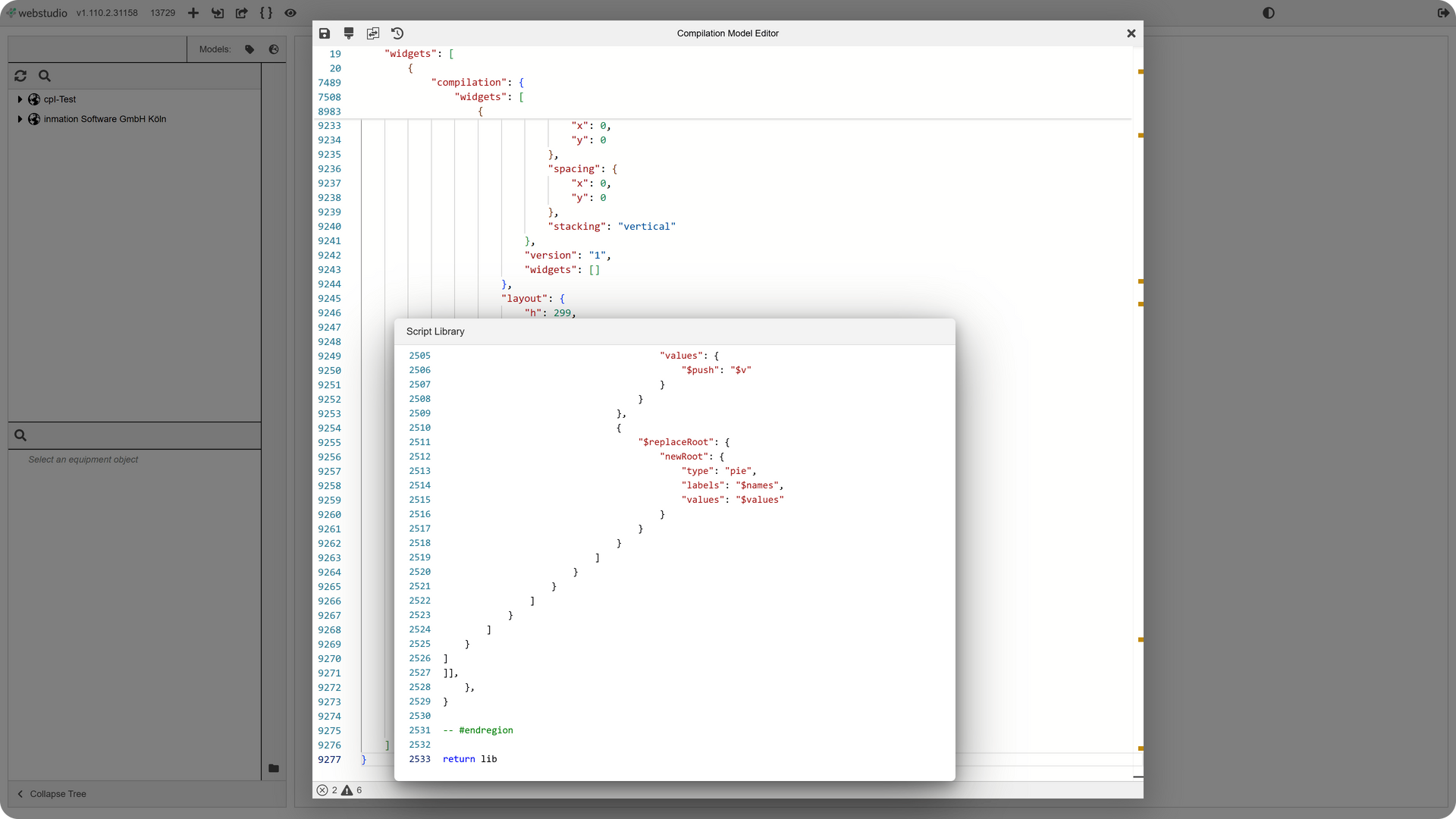
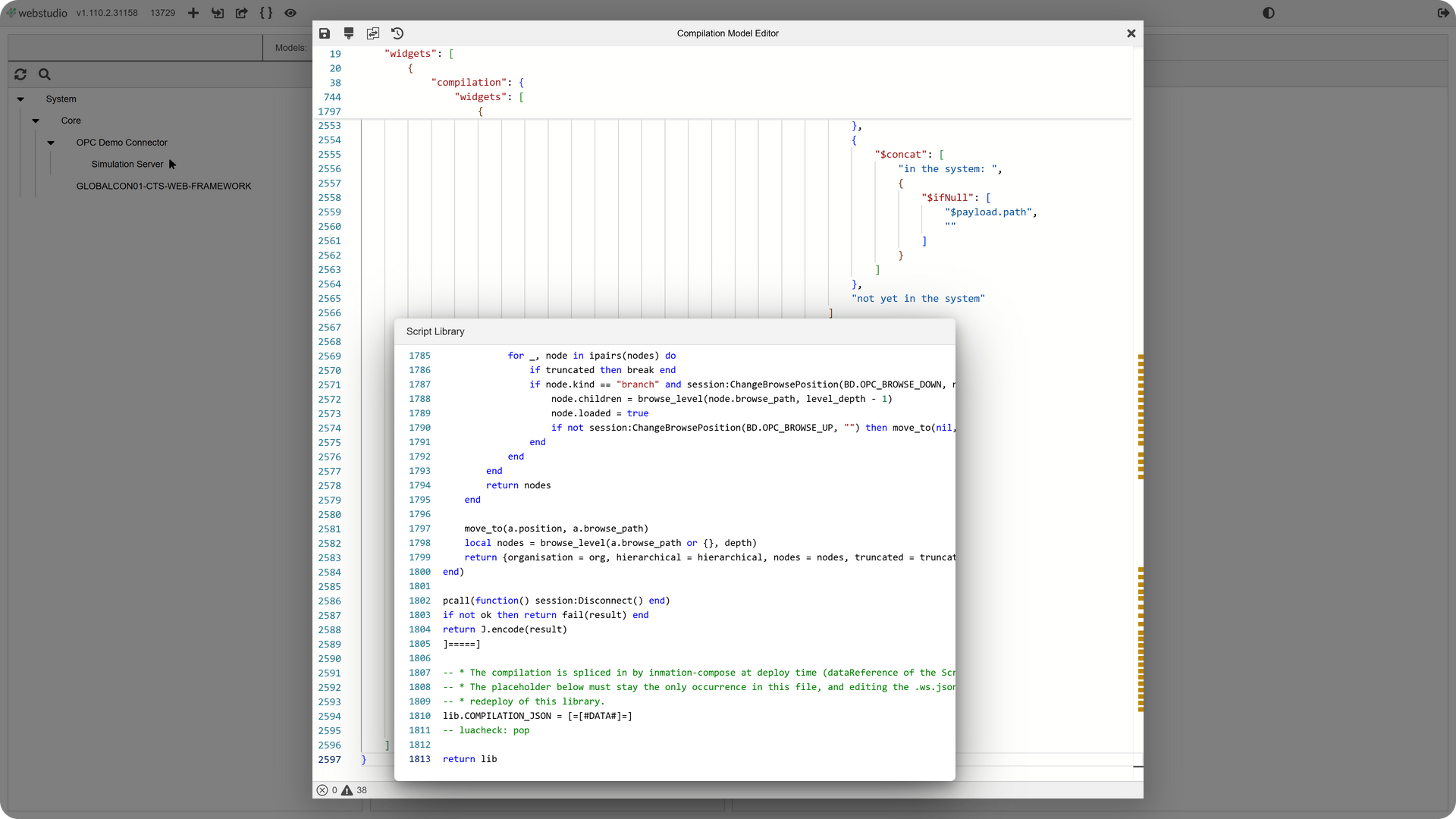
Compilations: Dashboards for the user, the JSON for the developer.

Zeitreihendiagramm mit zwei Kurven im Trends-Modul

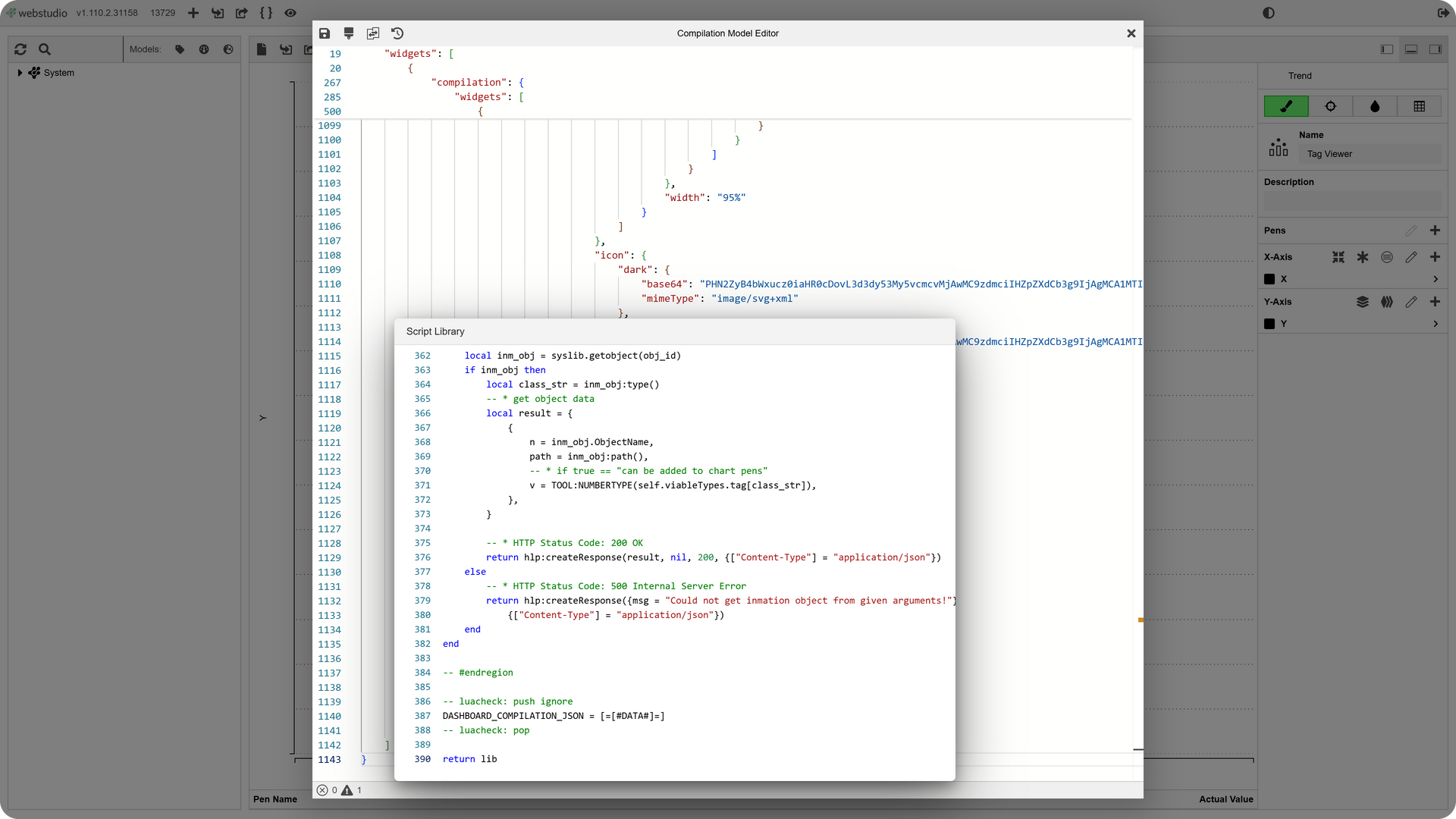
Compilations builds dashboards in the browser: select an equipment object, place widgets from templates, drag values from the model onto them, save as a draft and release. Underneath sits the JSON every dashboard is made of – open to read in the advanced editor and storable as a template for the next one.

  • Dashboards per equipment object in the ISA-95 model, or in folders of the I/O model
  • Widgets from reusable templates, moved and resized on the grid
  • Values dragged from the model straight onto the widget, without going into the code
  • Draft and release kept apart – the released dashboard stays until the new version is ready
  • Ready to use without development of your own – you pick the equipment object

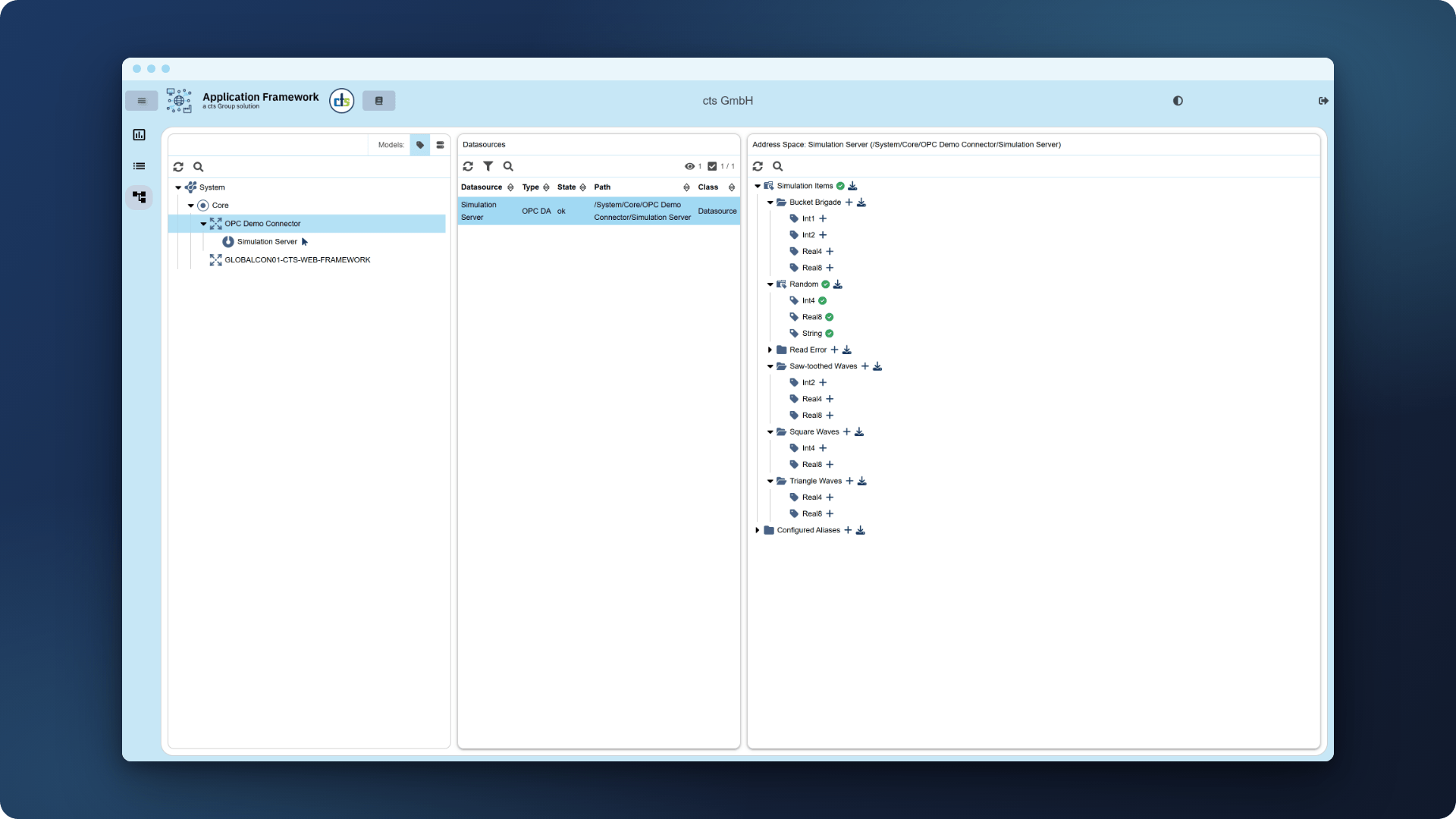
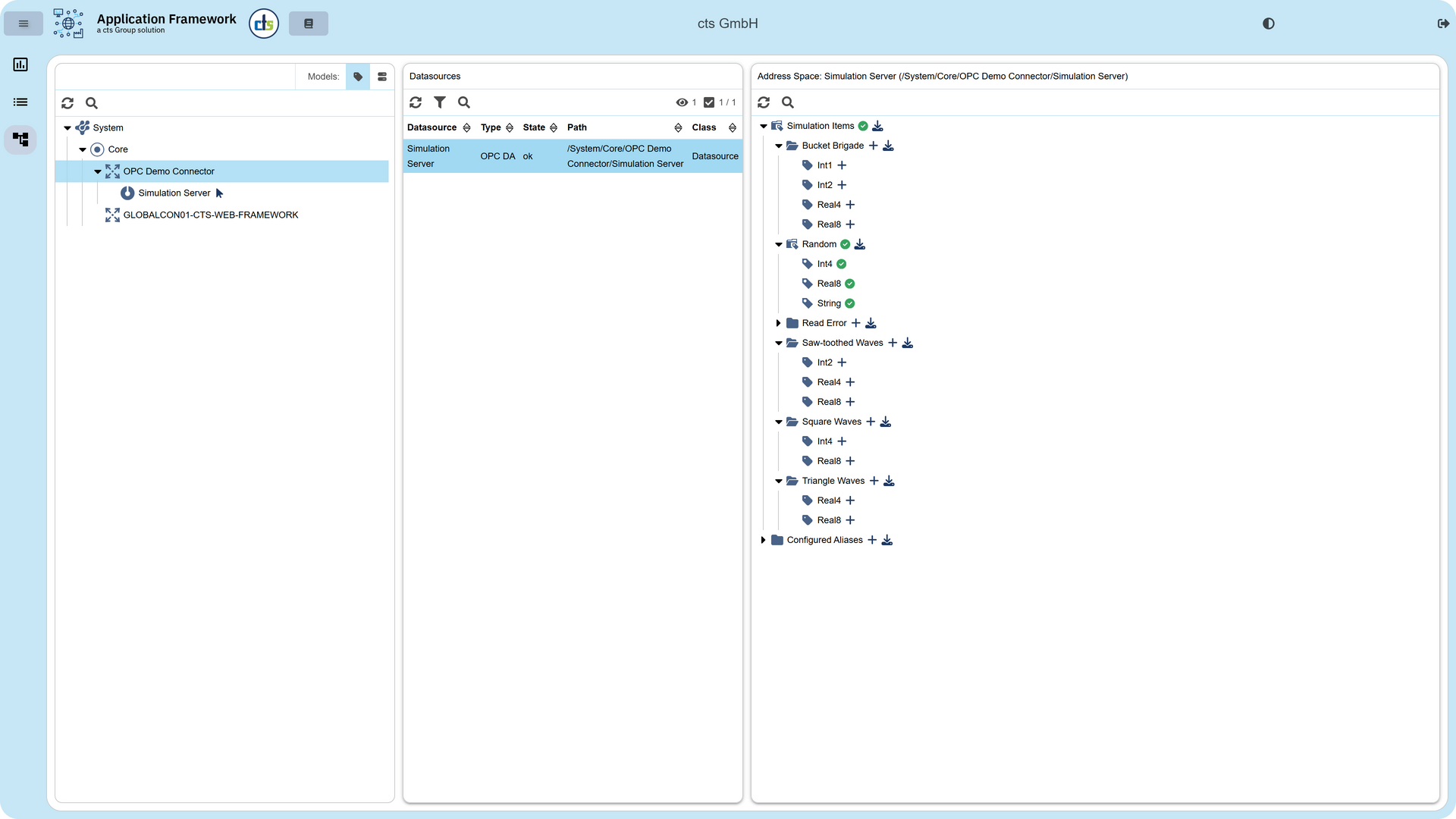
OPC Browser: The whole address space to search, only the needed items in the model.

Zeitreihendiagramm mit zwei Kurven im Trends-Modul

The OPC Browser searches the address space of an OPC DA server: open a datasource, expand it level by level, create exactly what is needed with one click. Underneath sits the I/O model — and only what was selected appears in it, not the whole datasource as with Browse Once.

  • Every OPC DA datasource of the running system in one place, with its state
  • Address space loaded level by level, search by name, ItemID or path
  • One click creates a single item, a folder, or the whole subtree below it
  • Instead of Browse Once for the whole datasource: a lean I/O model
  • Ready to use without development of your own – you pick the datasource
Wischen, Pfeiltasten oder Reiter oben


Technical specifications

What you need. What we bring.

If you're running inmation WebStudio, you have everything it takes to get started.

Property Details
Required Platform inmation WebStudio ≥ 1.96.2 – no additional infrastructure, no new system
Design & Corporate Identity Dark & Light Theme, your corporate design applied across all modules — including a component library your team builds on directly
New modules Automatic detection and integration of new modules — no manual intervention required
User documentation Manuals are linked automatically to the module they belong to — always where users need them, never in a separate system
Access & permissions Module-level access control, role-based — configured once, maintained structurally, not case by case
Included from the start Advanced Webchart and EventViewer — both fully transparent, ready to use, and ready to extend
Further development Your team builds new modules using the Webchart as a reference — the pattern is documented and transferable
Implementation Done together with cts engineers who know inmation — no handoff to a team that's seeing the system for the first time
Onboarding Style Guide and component library enable productive use from day one

Tell us what you're working with.

We've implemented inmation projects across industries. We look at your inmation WebStudio setup, understand what's there, and show you exactly where our framework changes your day-to-day. No preparation needed on your end.

Eine Hand hält eine Schachtel mit blauen Pfeilen, die nach unten zeigen und auf Empfang oder Lieferung hinweisen.

Sichere Handhabung verschiedenster Lasten ohne manuelle Eingriffe.

Blaue Pfeile, die auf ein Quadrat innerhalb eines größeren Quadrats zeigen; ein Fokussierungssymbol.

Ein System für PCB-Magazine, Boxen, Trays und kundenspezifische Behälter.

Ein blau-weißer autonomer Lieferroboter trägt eine Kiste und sendet Schallwellen aus.

Automatisierte Ein- und Auslagerung für maximalen Durchsatz.

  • Full Project Accountability

    Als Automatisierungsexperte übernimmt cts die volle Verantwortung – von der Konzeptvalidierung über die mechanische Integration bis hin zur fertigen ERP/MES-Anbindung.

  • Keine Insellösung

    Durch die Middleware cts AXES und offene Schnittstellen (REST/MQTT) wird das Lager zum voll integrierten Knotenpunkt Ihres digitalen Materialflusses.

  • Bewährte Skalierbarkeit

    Mit Kapazitäten von 400 bis über 2.000 Lagerplätzen und einer Bauhöhe von bis zu 8 Metern bieten wir Lösungen, die mit Ihren Produktionsanforderungen mitwachsen.

  • Seamless Intralogistics

    Das System ist nativ für das Zusammenspiel mit AMRs und Fördertechnik ausgelegt, um einen unterbrechungsfreien Materialtransport ohne manuelle Eingriffe zu garantieren.

  • Full Project Accountability

    Als Automatisierungsexperte übernimmt cts die volle Verantwortung – von der Konzeptvalidierung über die mechanische Integration bis hin zur fertigen ERP/MES-Anbindung.

  • Keine Insellösung

    Durch die Middleware cts AXES und offene Schnittstellen (REST/MQTT) wird das Lager zum voll integrierten Knotenpunkt Ihres digitalen Materialflusses.

  • Bewährte Skalierbarkeit

    Mit Kapazitäten von 400 bis über 2.000 Lagerplätzen und einer Bauhöhe von bis zu 8 Metern bieten wir Lösungen, die mit Ihren Produktionsanforderungen mitwachsen.

  • Seamless Intralogistics

    Das System ist nativ für das Zusammenspiel mit AMRs und Fördertechnik ausgelegt, um einen unterbrechungsfreien Materialtransport ohne manuelle Eingriffe zu garantieren.